Dragon support / Device Settings / XBOX ONE X
XBOX ONE X
Step-by-Step Instructions for Best Experience (DRAGON)

Reference Model: XBOX One X
Select the User Interface below that matches your device:


Audio
Video
HDMI CEC
STEP-BY-STEP GUIDE:
Scroll left and right to see the audio settings for you TV. (Enlarge image by clicking on it)
1. Audio Settings
Sequence:
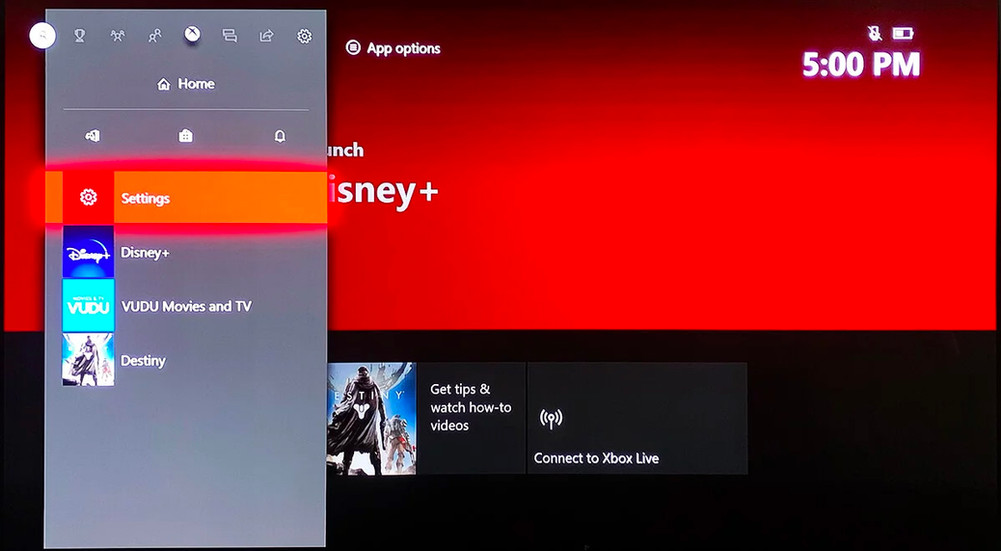
Menu > System > Settings > General > Volume & audio output
Voice & audio output > HDMI Audio > 7.1 Uncompressed
Menu > System > Settings > Display & Sound > Audio Output
Menu > System > Settings > Display & Sound > Bitstream Format
Menu > System > Settings > Display & Sound > Bitstream Format > Dolby Atmos for Home Theater


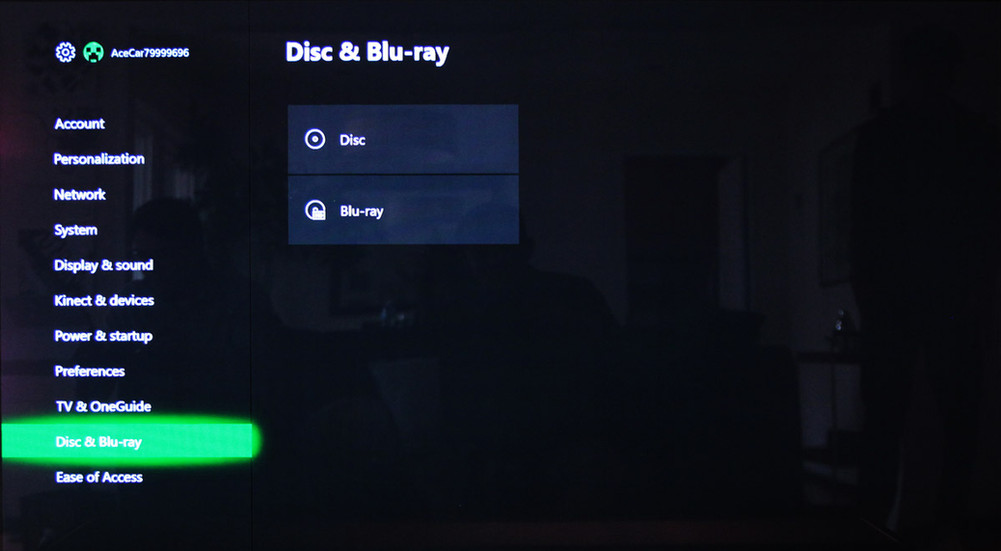
2. Blu-ray Settings
Sequence:
Menu > System > Settings > Disc & Blu-ray
Menu > System > Settings > Disc & Blu-ray > Blu-ray
Menu > System > Settings > Disc & Blu-ray > Blu-ray > Let my receiver decode audio



3. For YouTube Streaming (Additional Content)
Sequence:
Settings > General > Volume & Audio
Settings > General > Volume & Audio > Speaker Audio
Settings > General > Volume & Audio > Speaker Audio > Stereo Uncompressed